How much does it cost to hire a designer for Meta ads? (and what you get with AI instead)
Thinking about hiring a designer for your Meta ad creatives? Here's what it actually costs — freelancer, agency, and in-house — compared to doing it with AI.

Shopify makes it easy to build a store. Meta makes it easy to run ads. What nobody tells you is that the creative sitting between those two things is where most Shopify owners lose their money.
If you've run Meta ads for your store and felt like you were throwing money into a black hole — the issue almost certainly wasn't your targeting, your budget, or your product. It was the creative.
This guide is specifically for Shopify store owners running their own Meta ads. No agency jargon, no generic advice. Just what actually drives results for e-commerce brands at the small business level.
Why Shopify stores have a unique creative challenge
Most Meta ad advice is written for either big brands (with design teams and six-figure budgets) or lead generation businesses (coaches, service providers, SaaS). Shopify stores are neither.
You're selling physical products to people who can't touch them, try them, or see them in person. Your creative has to do something a product page can't: it has to create desire in 1–2 seconds, before someone has any intention of buying.
That's a specific problem. It needs a specific approach.
The four creative formats that work for Shopify
Not all ad formats perform equally for product-based businesses. These four consistently outperform everything else for Shopify stores:
1. Product hero — clean background
Your product, shot cleanly against a white or brand-coloured background. No lifestyle context. No props. Just the product, well-lit, with one line of text.
This works because it's clear. The viewer immediately knows what they're looking at. It works best for products with strong visual appeal — jewellery, skincare, homeware, accessories.
What to put on the image: Product name or a single benefit. Nothing else.
2. Before and after (or problem and solution)
Two panels. Left side: the problem. Right side: your product as the solution.
This format works because it tells a story in one image. The viewer doesn't need to read your copy — they understand the value proposition instantly from the visual alone.
Works best for: skincare, cleaning products, organising products, fitness equipment, anything with a visible transformation.
What to put on the image: Keep text minimal. Let the visual contrast do the work.
3. Lifestyle in context
Your product being used by a real person in a real situation. Not a studio shoot — something that looks like it belongs in a social feed.
This is the hardest to get right but often the highest performer when it works. The key word is "real." Stock photography doesn't work here. An iPhone photo of someone actually using your product, candid and unposed, outperforms a polished stock image consistently.
Works best for: clothing, food and drink, home goods, fitness, anything with a strong lifestyle identity.
What to put on the image: Little to no text. The image should carry the creative alone.
4. Text-led with product secondary
A bold statement or question takes up 60–70% of the frame. Your product appears smaller, as visual confirmation of the claim.
This format works when your value proposition is strong enough to stop a scroll on its own. "Free shipping to France. Always." "The skincare routine that fits in your bag." "100% natural. Actually affordable."
Works best for: brands with a strong point of view, products solving a clear pain point, any brand competing on value or convenience.
What to write on the creative (and what to leave out)
The most common Shopify ad creative mistake: too much text on the image.
Your image text should do one thing — give someone a reason to stop scrolling. The detail lives in your ad copy and your landing page.
Rules for image text:
Maximum one headline, one optional subline
Headline: 5–7 words maximum
Use your brand font at a size readable on a phone screen
High contrast — light text on dark background or vice versa
No pricing on the creative (it removes curiosity and ages your creative instantly)
Strong image headline structures for Shopify:
"[Product] that [benefit]" — "Serum that actually fades spots"
"[Problem]? [Solution]." — "Dry skin? Not anymore."
"[Timeframe] + [result]" — "Softer skin in 7 days"
"[Social proof]" — "50,000 French women switched"
Bold question — "What if your morning routine took 3 minutes?"
The ad copy formula that works for e-commerce
Your image stops the scroll. Your copy closes the gap between interest and click.
For Shopify stores, the best-performing copy structure is:
Line 1 — Hook (mirrors or extends the creative)
One sentence that continues the story your image started. If your creative shows a before/after, your first line describes the transformation.
Lines 2–3 — Proof or specificity
Why should they believe you? A specific claim, a number, a brief social proof. "4.9 stars from 2,000 customers." "Ships in 24 hours." "Made in France, no fillers."
Line 4 — CTA
One clear action. "Shop now." "Get yours." "Try it free." Don't overthink this.
Keep total copy under 125 characters for the primary text if you can — that's what shows before "See more" on mobile. Everything important needs to land before that cut-off.
How many creatives do you actually need?
More than you think, and fewer than you fear.
To launch: 3 creatives minimum. One per format from the list above — product hero, lifestyle, text-led. This gives Meta's algorithm enough to optimise without spreading budget too thin.
To sustain: 2–3 new creatives every 4–6 weeks. Creative fatigue hits Shopify stores faster than service businesses because your audience size is often smaller and frequency builds up quickly.
To scale: When a creative is working, produce 3–4 variations of it. Change the headline. Try a different background colour. Test a different product angle. Don't abandon what's working — push it further before moving on.
Seasonal and campaign-specific creatives
Shopify stores have a natural advantage: product-based businesses have built-in creative hooks throughout the year.
Build a simple creative calendar around these moments:
January: New year, new routine messaging
February: Valentine's Day gifting angle
March–April: Spring refresh, new arrivals
May–June: Summer preparation
September: Back to routine, autumn launches
October–December: Black Friday, Christmas gifting — your highest-volume period, needs dedicated creative sets
For seasonal campaigns, adapt your existing winning creatives with seasonal messaging rather than starting from scratch. If your product hero creative performs well, keep the layout and swap the headline for a seasonal hook.
The biggest creative mistakes Shopify owners make on Meta
Using product photos from their Shopify listing.
Listing photos are designed for someone already on your product page, already interested. Ad creatives need to create interest from zero. They're different jobs. Your listing photo likely has a plain white background and multiple product angles — useful on the page, invisible in a feed.
Running the same creative until it dies.
Most Shopify owners wait until performance crashes before refreshing creatives. By then you've already overpaid for the last few weeks of a declining campaign. Refresh before the drop — every 4–6 weeks as a rule, sooner if frequency goes above 3.
Targeting cold audiences with conversion-focused creatives.
A product hero creative with a "Shop now" CTA works on warm audiences (people who've visited your store or engaged with your content). For cold audiences who've never heard of you, lead with a creative that builds desire first — lifestyle, problem/solution, or a strong value statement — before asking for a click.
Skipping Stories and Reels.
Feed-only campaigns miss a significant portion of Meta inventory. Stories and Reels placements often have lower CPMs — cheaper clicks — because fewer advertisers create vertical creatives. A 9:16 version of your feed creative takes minutes with the right tool and opens up meaningfully cheaper placements.
Making creative production sustainable
The Shopify owners who consistently win on Meta aren't necessarily the ones with the best taste or the biggest budgets. They're the ones who produce creatives consistently, test regularly, and iterate based on data.
That requires making production fast enough that you actually do it.
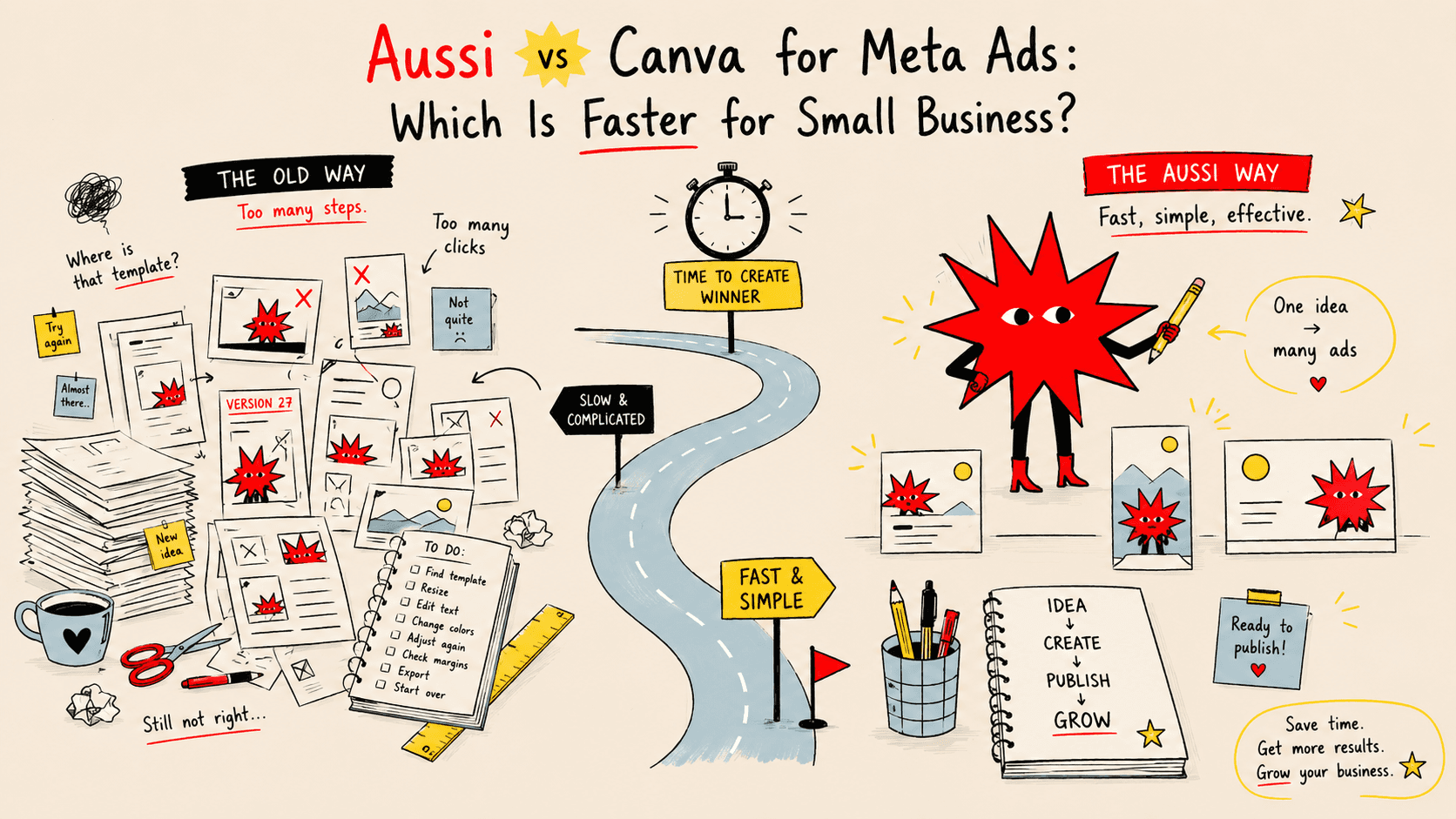
Aussi AI is built for exactly this. You connect your Shopify product URL, upload your brand assets, and get a full set of Meta ad creatives — feed, stories, reels — in under 5 minutes. Multiple variations per session, all correctly sized, all on-brand.
For a Shopify owner running their own ads, that's the difference between testing once a month and testing every week.
Ready to run better Meta ads for your Shopify store?
Aussi AI generates professional ad creatives from your product URL in minutes — no designer, no agency, no wasted hours. Try it free →
Word count: ~1,300 words
Internal links to add: link to post #1 ("how to create Meta ad creatives") in the intro, post #7 ("how to test creatives") in the iteration section, post #2 ("Meta ad sizes") in the Stories/Reels section.
SEO note: this post will naturally pick up "meta ads for shopify", "facebook ads for shopify store", "shopify facebook ad creative" — all strong commercial-intent searches from your exact ICP.
Image suggestions for Framer: four side-by-side mockups showing the four creative formats (product hero, before/after, lifestyle, text-led) — this doubles as a shareable social asset.
Which post next?
06
TITLE (H1):
How much does it cost to hire a designer for Meta ads? (and what you get with AI instead)
Meta description (155 chars):
Thinking about hiring a designer for your Meta ad creatives? Here's what it actually costs — freelancer, agency, and in-house — compared to doing it with AI.
Slug: /blog/cost-of-hiring-designer-meta-ads-vs-ai
Before you hire anyone to make your Meta ad creatives, it's worth knowing what you're actually paying for — and whether there's a faster, cheaper path to the same result.
This post breaks down the real cost of hiring a designer for Meta ads: freelancers, agencies, and in-house. Then it compares that honestly against what AI tools can do today, and where the trade-offs actually lie.
Option 1: Freelance designer
Hiring a freelance designer is the most common first step for small business owners who've outgrown DIY but can't justify an agency retainer.
What you get:
A designer who creates your ad creatives to spec — typically a set number of formats per brief, delivered within an agreed turnaround.
What it costs:
Experience level | Hourly rate (Europe) | Per creative set (feed + stories + reels) |
|---|---|---|
Junior (0–2 years) | €25–45/hr | €75–150 |
Mid-level (2–5 years) | €50–85/hr | €150–300 |
Senior (5+ years) | €90–150/hr | €300–600 |
A "creative set" here means 3–4 ad formats for one campaign. If you need 3 creative variations to test (which you should — see our guide on testing), multiply accordingly.
Hidden costs to factor in:
Briefing time (30–60 minutes per project, your time)
Revision rounds (usually 1–2 included, more costs extra)
Turnaround time (typically 2–5 business days)
Finding and vetting freelancers (one-time, but significant)
Inconsistency between projects if you use different freelancers
Monthly cost estimate for a small Shopify store running ads consistently:
2 creative refreshes per month × 3 variations each = 6 creative sets
At mid-level rates: €900–1,800/month in designer fees alone, before ad spend.
When it makes sense:
When you need highly custom creative work — bespoke illustration, complex layout, brand-defining visuals — that requires genuine design skill and creative direction. Not for routine ad creative production.
Option 2: Creative agency or ads agency with creative included
Some Meta ads agencies include creative production as part of their management fee. Others charge separately.
What you get:
A team handling strategy, creative production, copywriting, and campaign management. Some include photography or UGC sourcing.
What it costs:
Agency type | Monthly retainer |
|---|---|
Boutique (small team, 1–3 clients) | €1,500–3,500/month |
Mid-size performance agency | €3,000–8,000/month |
Full-service with creative studio | €6,000–15,000+/month |
Most agencies at the lower end of this range will produce 4–8 creatives per month. At the higher end, you get more volume, dedicated creative team, and strategic oversight.
What's often not included:
Ad spend (you pay this separately on top of the retainer). Photography and video production. A/B testing at meaningful volume. Creatives for seasonal campaigns outside the standard scope.
The minimum viable commitment:
Most reputable agencies won't take on Meta ad management for under €1,500/month in retainer, and expect a minimum €1,000–2,000/month in ad spend alongside it. Total minimum commitment: €2,500–4,000/month.
For a business doing €5,000–15,000/month in revenue, that's a significant portion of turnover going to creative and management before you see a return.
When it makes sense:
When you're spending €5,000+/month on Meta ads, have validated your creative direction, and need to scale volume beyond what you can produce yourself. Not for early-stage businesses still finding what works.
Option 3: In-house designer
Hiring a full-time or part-time designer in-house gives you creative capacity on demand — but it's the most expensive option by a significant margin.
What it costs:
Role | Annual salary (France/Europe) | Monthly cost incl. charges |
|---|---|---|
Junior graphic designer | €28,000–35,000 | €2,800–3,800 |
Mid-level graphic designer | €35,000–50,000 | €3,800–5,500 |
Senior / art director | €50,000–75,000 | €5,500–8,500 |
This doesn't include recruitment costs (typically 15–20% of annual salary if using a recruiter), software licences, equipment, or management overhead.
A mid-level in-house designer costs you roughly €4,500–5,500/month all-in, and their time will be split across many tasks — not just Meta ad creatives.
When it makes sense:
For businesses with significant, consistent creative volume across multiple channels — not just Meta ads. Rarely justifiable for a single-channel creative need at small business scale.
Option 4: AI creative tools
AI ad creative tools have matured significantly in the last two years. The category now ranges from generic image generators to purpose-built Meta ad creative platforms.
For Meta ad creatives specifically, the relevant tools are those built around ad performance — not general design or general AI image generation.
What you get:
Creative generation from your product URL and brand assets
Multiple format outputs (feed, stories, reels) in one workflow
Brand consistency across every creative
Multiple variations per session for testing
No briefing, no revisions, no waiting
What it costs:
Tool | Monthly cost | Creative volume |
|---|---|---|
Aussi AI | €31/month (Pro) | Unlimited |
AdCreative.ai | €29–189/month | 10–500 credits |
Predis.ai | €29–79/month | 30–150 posts |
Canva Pro (general) | €13/month | Unlimited (manual) |
What AI tools don't replace:
Complex brand strategy or creative direction
Custom illustration or bespoke photography
Video production (most tools handle static or simple motion)
Creative concepts that require genuine originality or cultural nuance
The honest comparison
Freelancer | Agency | In-house | AI (Aussi AI) | |
|---|---|---|---|---|
Monthly cost | €900–1,800 | €1,500–8,000+ | €4,500–8,500 | €31 |
Turnaround per creative | 2–5 days | 3–7 days | Same day | Under 5 minutes |
Variations per session | 1–2 (more costs extra) | 4–8/month | Unlimited | Unlimited |
Brand consistency | Depends on freelancer | Usually good | Good | Built-in |
Creative testing volume | Low (cost-prohibitive) | Moderate | High | High |
Requires design brief | Yes | Yes | Yes | No |
Works for Shopify / DTC | Yes | Yes | Yes | Yes |
What the cost difference actually means for your ads
The biggest practical impact of lower creative production cost isn't the money saved — it's the testing velocity it enables.
At €150–300 per creative set from a freelancer, most small business owners produce 2–4 new creatives per month. Testing is slow. Learning is slow. Campaign performance improves slowly.
At €31/month for unlimited AI-generated creatives, you can produce new creative sets every week. You test more hypotheses. You find what works faster. You compound that learning over time.
The math isn't just about cost per creative — it's about how many tests you can run per month and what that does to your results over a year.
When to hire a designer anyway
AI tools are not the right answer for every situation. Hire a designer when:
You're building your brand identity from scratch (logo, visual system, brand guidelines) — this requires creative thinking AI doesn't replicate
You need bespoke illustration, custom photography, or video production
Your creative strategy requires genuine originality or cultural specificity that a templated approach won't capture
You're a large brand where creative differentiation is a core competitive advantage
For routine Meta ad creative production — the weekly and monthly work of generating new creatives, testing variations, and keeping campaigns fresh — AI is now genuinely faster, cheaper, and consistent enough to replace the freelancer model for most small businesses.
See what €31/month gets you.
Aussi AI generates professional Meta ad creatives from your product URL in minutes — feed, stories, and reels, unlimited variations. No brief, no revisions, no waiting. Try it free →